Look after a machine you bought
The pump, the incubator, the motorcycle after you bought it: when it is due a service, and every repair and litre of fuel booked on it.
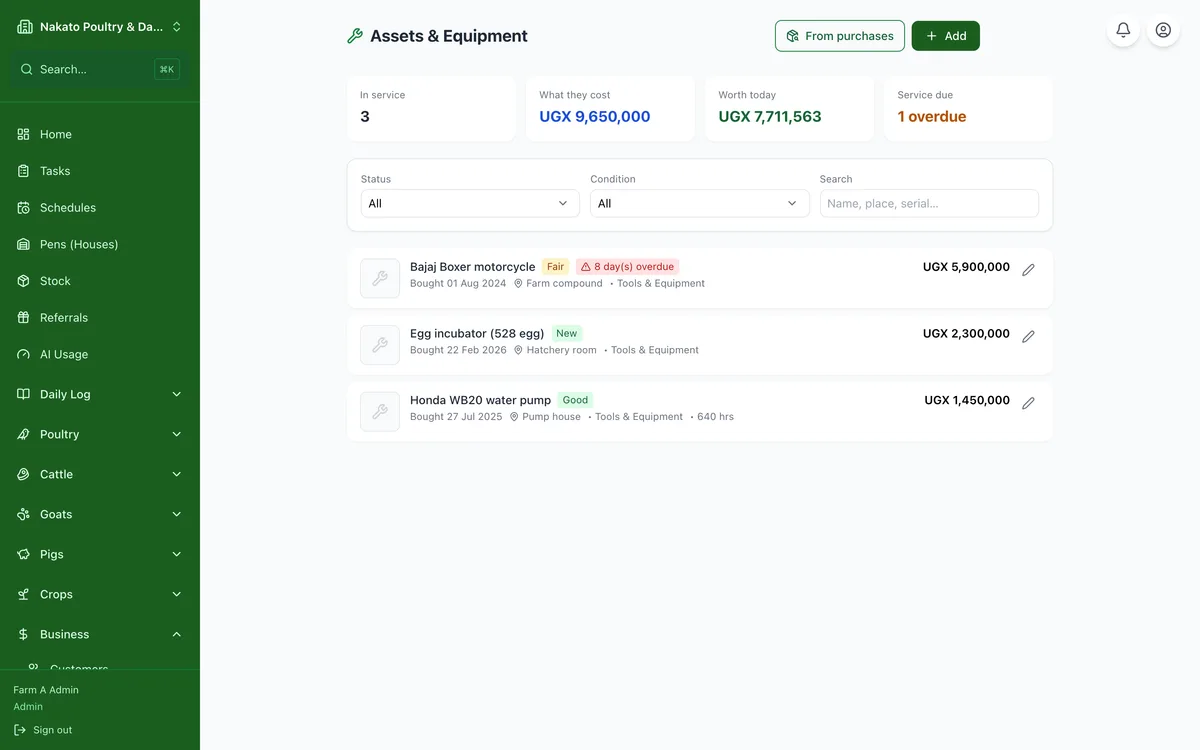
- Open Business → Assets & Equipment and tap Add — or "From purchases" to pick something you already entered in Capital Costs.
- Say where it lives and what condition it is in. If you know roughly how many years it will last, put that in too and Famu spreads the cost across them instead of all in one month.
- Open the asset and add a service: "every 3 months", or "every 250 hours" for a machine with an hour meter.
- When it is serviced, tap the tick. Famu warns you before the next one falls due.
- Record repairs and fuel from the asset page (or tick Equipment on any expense) so its lifetime cost adds up.
- Add a photo of it while you are there — a picture of the machine and its serial plate beats a description.
- If you use Google Calendar, tap Sync to Google Calendar and each service becomes a repeating reminder in your own calendar.