Add someone to the farm
Give a worker or manager their own login. What they can see and change is decided by their role.
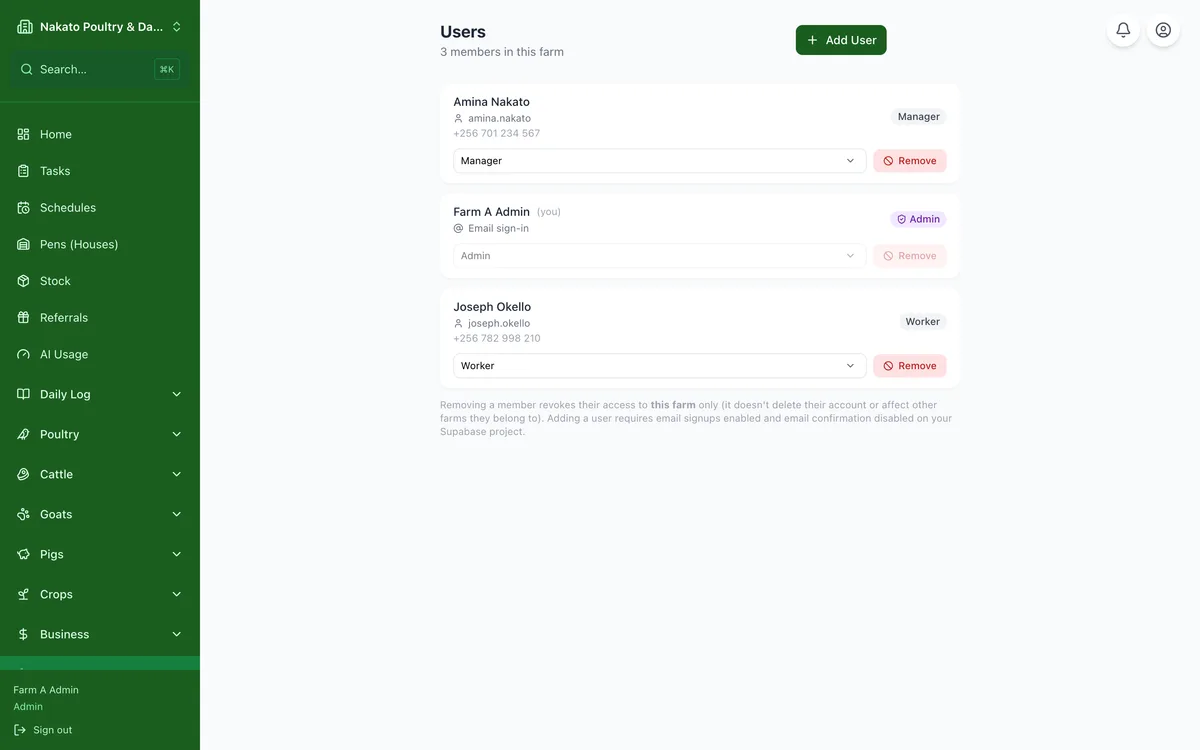
- Open Users & Roles — it opens on the Users tab.
- Tap Add User. Already on Famu? Use the Already on Famu tab instead — see "Add someone who already uses Famu".
- Pick a role: admin sees everything, manager runs the farm, worker records the daily round.
- Choose email or username sign-in, enter their name, and set a temporary password.
- Share the email or username and the password with them — they can change the password later.