Mark who worked today
A week at a time, the whole crew on one screen. Tap a day to mark it — no form per person.
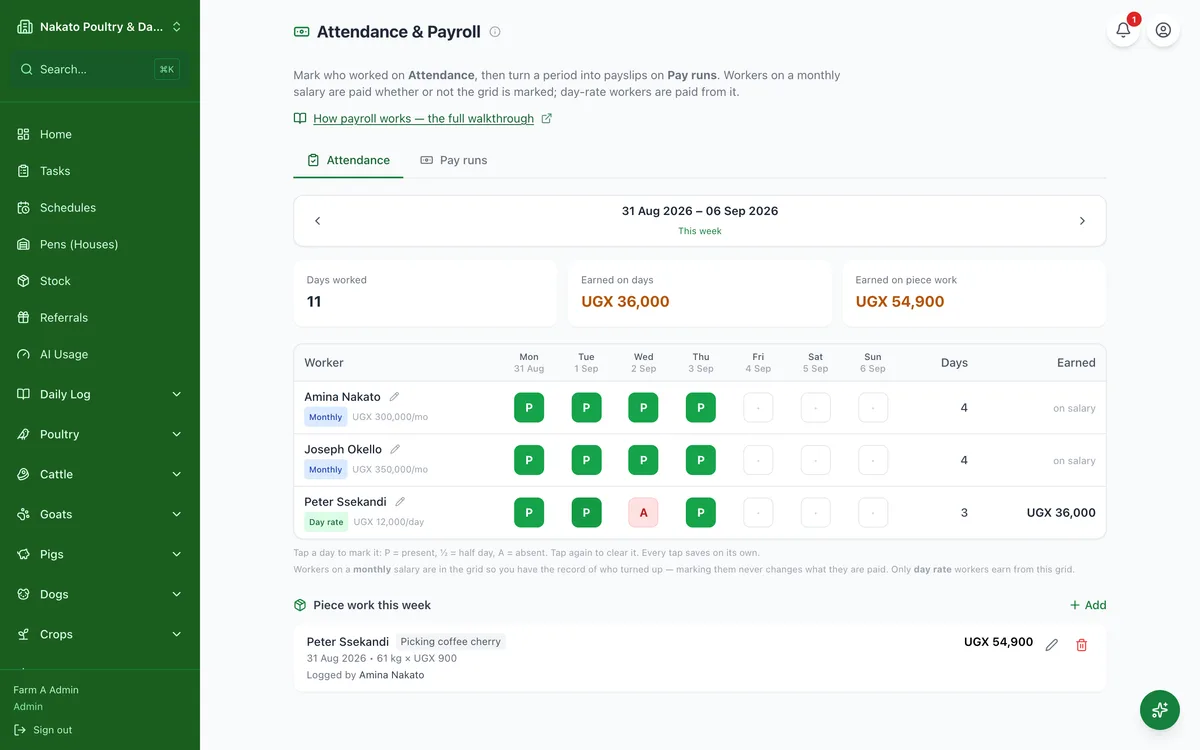
- Open Business → Attendance & Payroll.
- Use the arrows to get to the right week.
- Tap a worker's day: once for present, again for half day, again for absent, again to clear it.
- Each tap saves on its own — there is nothing to press at the end.