Sell a picking you recorded earlier
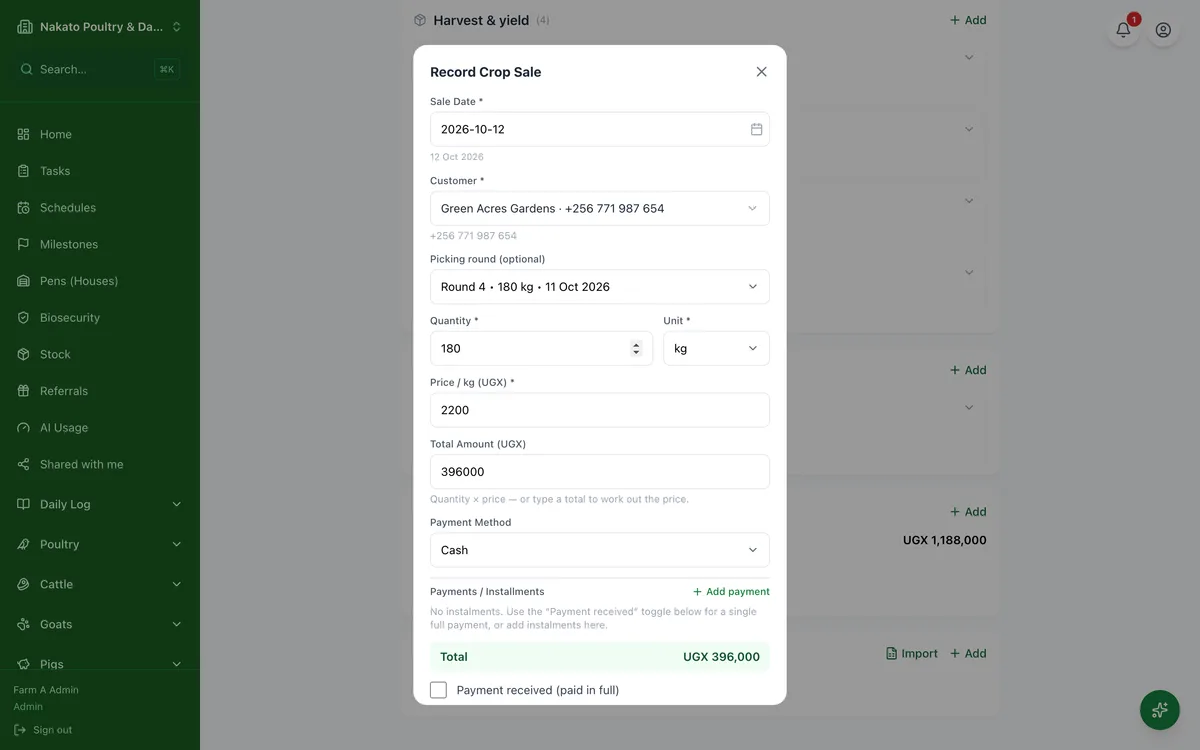
Sell produce from a harvest already in Famu, and say which picking round it came from.
- Open the planting from Crops → Plantings.
- Go to Sales and tap Add.
- Pick the customer.
- Under Picking round, choose the round the produce came from — or Across several pickings if it was mixed.
- Choosing a round fills in its quantity. Change it if you sold only part of it.
- Enter the price and tap Record Crop Sale.