Photograph a receipt instead of typing it
Take a picture of a receipt and Famu fills in the amount, the date and the supplier for you to check.
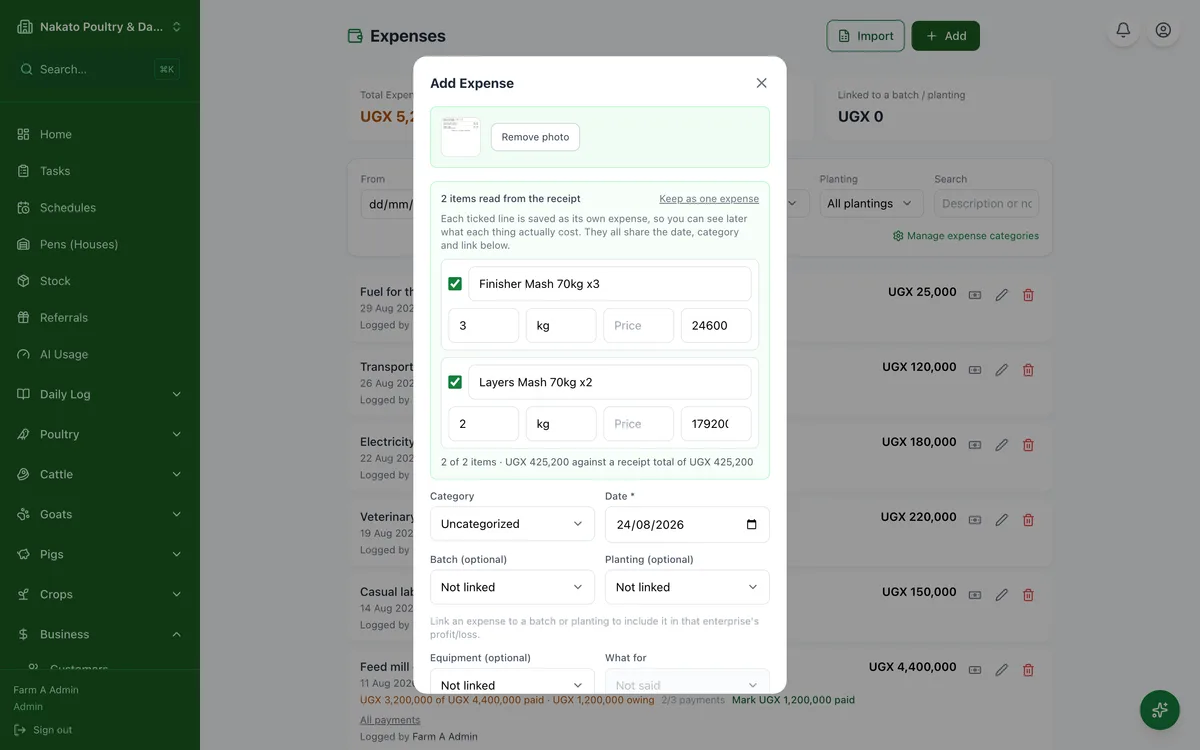
- Open Business → Expenses and tap Add expense.
- Tap the camera icon and photograph the receipt.
- Check what Famu read — it is a suggestion, not the truth.
- A receipt with several items shows one line each. Fix a quantity, price or total on a line and the other two follow.
- Correct anything wrong and save.
- The photo is kept — find it again any time under Business → Receipts.