Sell a harvest as you record it
Picked and sold the same day? Record the harvest and the sale in one form, without typing anything twice.
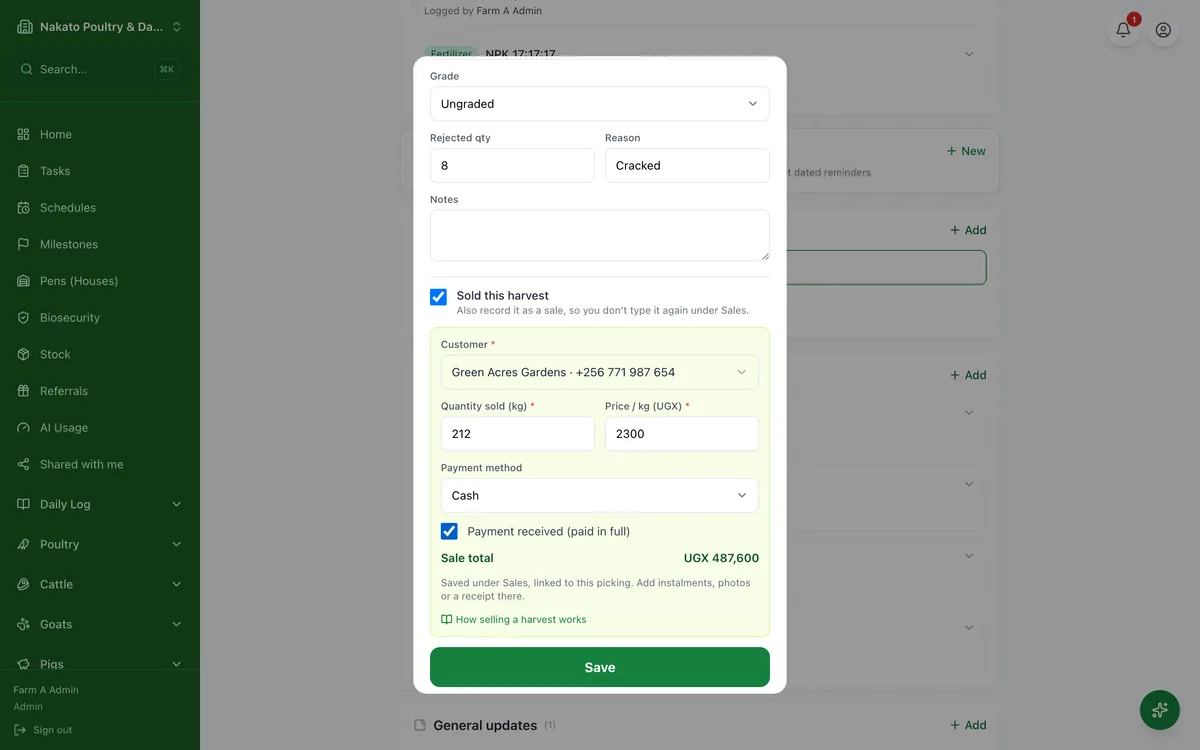
- Open the planting from Crops → Plantings.
- Go to Harvest & yield and tap Add.
- Enter the date, the quantity and any rejected produce.
- Tick Sold this harvest.
- Pick the customer, or add a new one.
- Check Quantity sold — it starts as what you picked less what was rejected — and enter the price.
- Tick Payment received if they paid in full, then tap Save. The sale appears under Sales, linked to this picking.