Find any page or guide fast
One box that finds any page and any how-to guide — type in your own words, not the menu name.
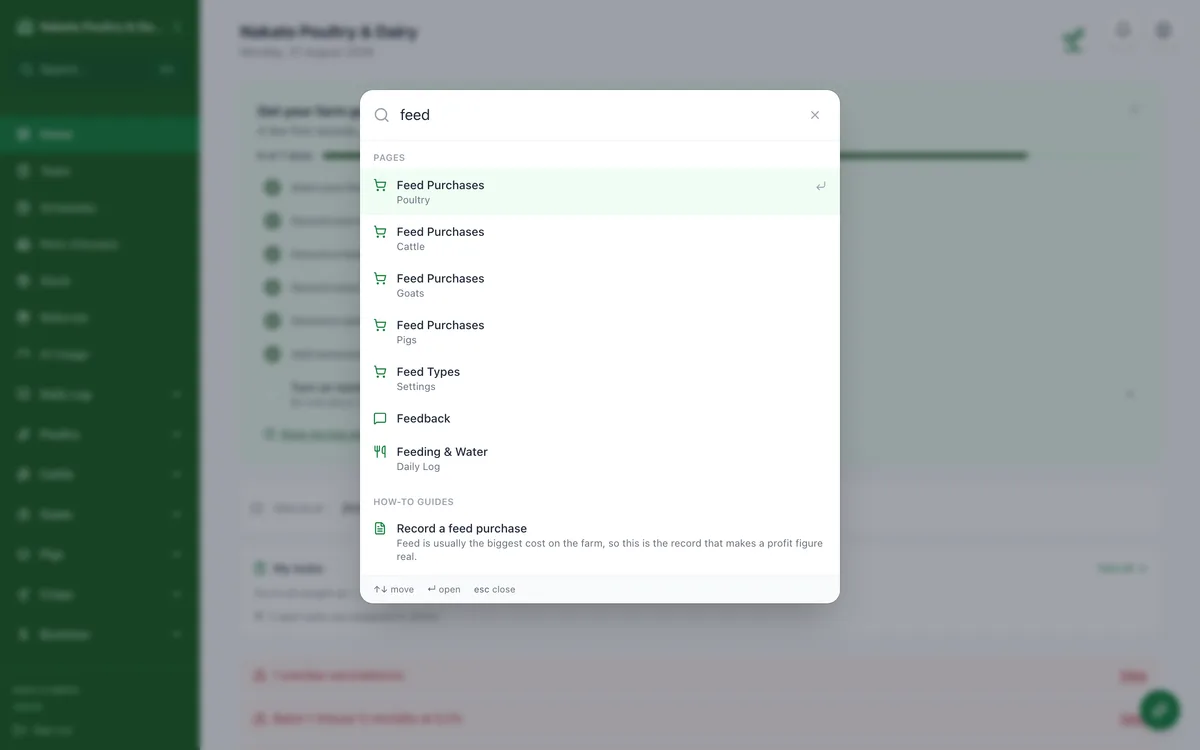
- Tap the magnifier — top of the menu on a computer, beside the bell on a phone — or press ⌘K (Ctrl-K on Windows).
- Type what you are trying to do, not the menu name — "owes me", "spray", "bags of feed".
- Pick a page or a how-to guide from the results.
- Nothing typed yet? Your most recent searches are already there, ready to tap.